Open topic with navigation
Managing and configuring Now Book It Gift Cards
Now Book It Gift Cards can be managed via the Now Book It Admin page.
Login to Go to: https://admin.nowbookit.com > Select your venue if prompted.
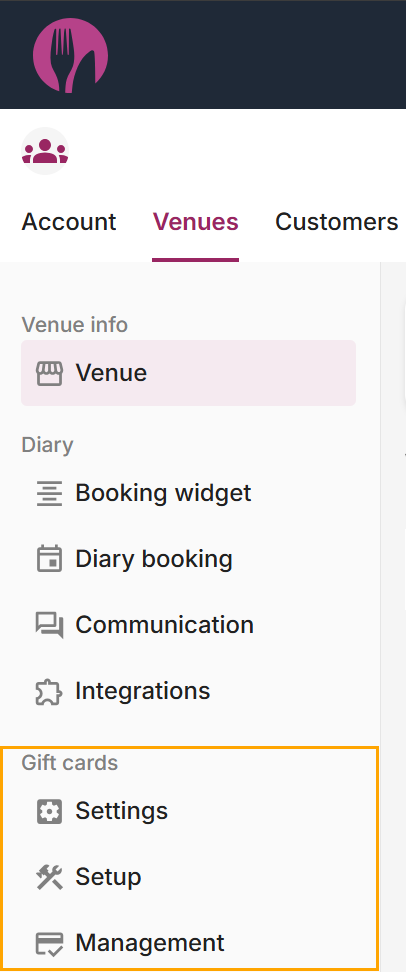
On the left-hand side menu, a Gift Cards section will appear with buttons for Settings, Setup and Management:
- Settings - This page enables the setup of Gift Cards (e.g. Gift Card widget, Settings, Messages and Integrations).
- Setup - This page enables the setup of Gift Cards (e.g. Gift Card PDF theme colours/customisation/etc.).
- Management - This page enables the management of Gift Cards (e.g. display a list of Gift Cards that have been issued, Amount, Remaining Amount, Issue Date, Status, Transactions, Summary).
Open topic with navigation